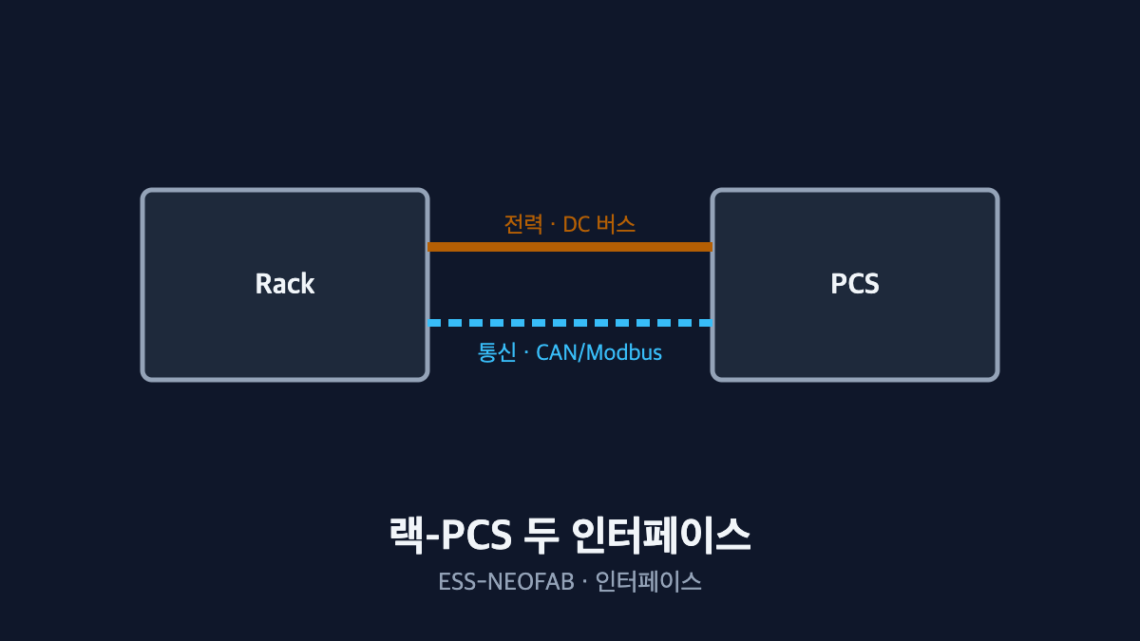
Between the Battery Rack and the PCS: Two Points Where the Interface Diverges
Abstract — A battery rack and a PCS look like they are joined by a single cable, but two interfaces — power and communication — must line up simultaneously before the system will come up. On the power side, changing the number of series cells in a rack shifts both ends of the DC voltage window at once, so checking one end leaves the PCS unable to start in the low-SOC region. On the communication side, the register map and scale factors sit outside what the standard defines, so a single unit mismatch makes SOC read ten times high. Every figure below is an assumed value for illustration and must be recalculated against actual cell and PCS specifications.
1. The Conclusion First — Reviewing the Two Interfaces Separately Guarantees a Miss
Most commissioning delays at the rack-PCS interface trace back to “only one side was reviewed.” The power engineer checks the voltage window and the controls engineer checks the protocol, but unless those two reviews meet in the same document, a design change gets reflected on one side only.
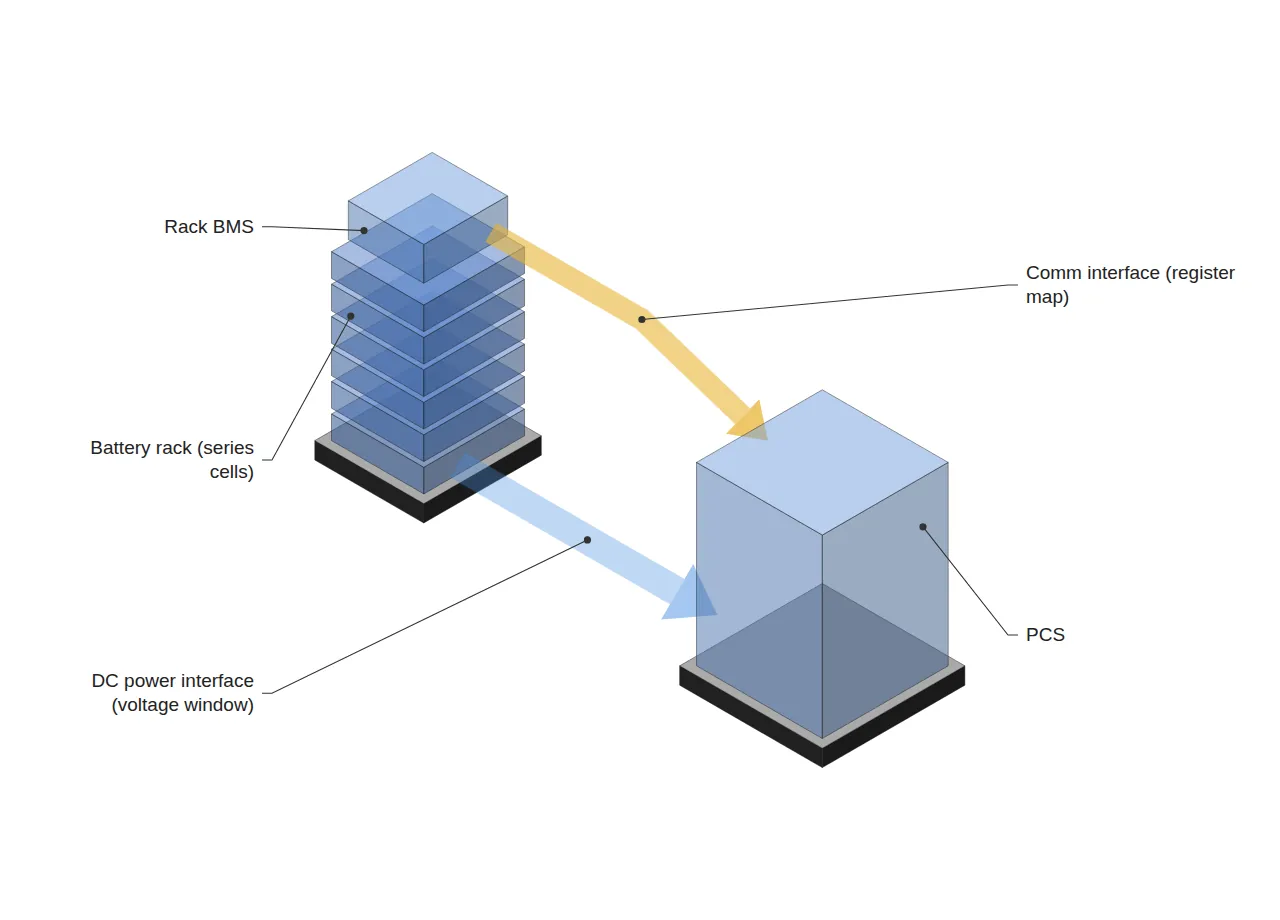
The situation is that rack and PCS specifications have each been fixed. The complication is that a change to the rack specification propagates to power and communication at the same time. The question is “which change propagates where,” and the answer is to hold a checklist that forces both interfaces to be cross-checked for each change item.
2. The Power Interface — Both Ends of the Voltage Window Move Together
Rack DC voltage varies with SOC, and that entire range must fall inside the PCS input window. The calculation below assumes LFP cells in a 240-series configuration.
| Item | 240 series | 256 series |
|---|---|---|
| Cell low limit 2.5 V | 600 V | 640 V |
| Cell nominal 3.2 V | 768 V | 819 V |
| Cell high limit 3.65 V | 876 V | 934 V |
| PCS input range 600–1,000 V | Satisfied | Satisfied |
| PCS start-up minimum 640 V | Not met (600 V) | Met (640 V) |
The 240-series configuration satisfies the PCS allowable input range of 600–1,000 V but fails the 640 V start-up minimum in the low-SOC region. The problem stays invisible during normal operation and surfaces only when the PCS refuses to come up on restart after a deep discharge.
Moving to 256 series raises the lower end to 640 V and satisfies the start-up condition. But the upper end rises with it, from 876 V to 934 V, leaving only 66 V of headroom — which has to be checked in the same pass. Series cell count does not push one end of the voltage window; it pushes both.
3. The Communication Interface — Standardization Ends at the Register Map
| Layer | Typical implementation | Common issue |
|---|---|---|
| Physical | CAN, RS-485 | Missing termination resistor, cable length exceeded |
| Protocol | CANopen, Modbus RTU/TCP | Register map version mismatch |
| Data | SOC / SOH / cell voltage | Misread unit or scale factor |
The physical layer and the protocol are defined by standards, but which address carries which quantity at which scale remains a vendor implementation detail. “We both use Modbus” is therefore not evidence that the interface matches.
4. What a Scale-Factor Misread Produces — A Worked Example
Assume the BMS transmits SOC as an integer in 0.1% units (0–1000) while the PCS interprets it in 1% units (0–100).
| Actual SOC | BMS value sent | PCS interpretation | PCS behavior |
|---|---|---|---|
| 45.0% | 450 | 450% → clamped to 100% | Reads full, blocks charging |
| 12.0% | 120 | 120% → clamped to 100% | Reads full, keeps discharging |
| 8.0% | 80 | 80% | Interpreted correctly (coincidence) |
The point worth noting is that the values coincide only below 10.0% SOC. Start commissioning at low SOC and the communication looks healthy; the moment charging carries SOC past 10%, the PCS begins reading full continuously. A single-point check cannot catch a scale error.
Verification must therefore compare measured values against the PCS display at a minimum of two points, preferably three — low, mid and high SOC. The case above is an assumed scenario; how often this failure mode actually occurs in fielded systems requires separate investigation.
5. When You Check Decides What It Costs
The same mismatch costs very differently depending on when it is found. Recalculating the voltage window at the design stage is desk work; meeting the same problem at commissioning means reconfiguring racks or replacing the PCS.
Much of that gap is absorbed simply by holding fixed items on a design-change checklist. In practice, three items — series cell count, cell model and BMS firmware version — should be bound so that changing any of them triggers a review of both the power and the communication side.
FAQ
Q. If we only use standard protocols such as CANopen, does this problem go away?
Even with the physical layer and upper protocol standardized, the register map and scale factors frequently remain vendor-specific. Adopting a standard reduces the checklist at the physical and transport layers; it does not remove the cross-check at the data layer.
Q. Isn’t satisfying the PCS allowable input range enough?
Allowable operating range and start-up threshold are separate specifications. In the calculation above, the 240-series configuration satisfies the 600–1,000 V range while failing the 640 V start-up minimum. Treating the two as one item means the “cannot restart after deep discharge” failure first appears at commissioning.
Field Application Notes
| Step | Action | Output |
|---|---|---|
| 1 | Recalculate both ends of the DC voltage window as series count × cell voltage limits | Voltage window table |
| 2 | Extract allowable input range and start-up minimum separately from the PCS datasheet | Two PCS thresholds |
| 3 | Confirm the window’s lower end clears the start-up minimum and quantify upper headroom in V | Headroom in V |
| 4 | Fix the BMS-PCS register map cross-reference in writing with both vendors | Signed cross-reference |
| 5 | Cross-verify measured values against PCS display at low, mid and high SOC | Scale verification record |
| 6 | Register series count, cell model and BMS firmware as fixed design-change checklist items | Updated checklist |
Steps 1 to 3 can be completed same-day from datasheets alone. Step 5 requires charging equipment, so it must be carried as a distinct line item in the commissioning schedule — and checking only a single low-SOC point walks straight into the coincidence shown above.
Measurement and Calculation Conditions
Cell voltages of 2.5 / 3.2 / 3.65 V, 240 and 256 series, a PCS input range of 600–1,000 V, a 640 V start-up minimum and a 0.1% SOC scale are all assumed values set for illustration, not the specification of any product. The voltage calculation is a no-load figure that does not account for voltage drop from cell internal resistance under load or for temperature-dependent voltage behavior. Real designs must re-check the lower end with voltage drop at maximum discharge current and low-temperature (below 0 °C) characteristics applied together.
Related reading — BMS, PCS, EMS: Why Do the Three ESS System Layers Move at Different Speeds?


You May Also Like
The 2026 Edition of NFPA 855 Changes ESS Rack Design and Traceability Documentation at the Same Time
FAT and SAT Differ in More Than Location — How IEC 62381:2024 Defines the Tests
3 Comments
Pingback:
Pingback:
Pingback: